
In this article, you will learn how to create a new custom module from scratch in odoo13. To creating a new module in odoo13 we are going to use the scaffold command. You can also create a new module manually by creating necessary directories and files. But creating a custom module by using scaffold command is a good approach.
What is Odoo Module
In Odoo everything is a module. You can say that the Odoo module is like a container, that holds all the business logic that is compulsory to run the Odoo system.
How to create a custom module in odoo13
To create a new custom module from scratch in odoo13 we are going to use the scaffold command provided by Odoo. Follow the below steps to create a custom module.
Read More: Install odoo13 with PyCharm Configuration
- Open command prompt (As an administrator) or if you are using PyCharm than open Terminal
- Change your directory path in the terminal where odoo-bin python file is located in the odoo13 source folder (D:\odoo13)
- Below is the command to create a new odoo13 module from scratch
odoo-bin scaffold <module name> <where to put it>
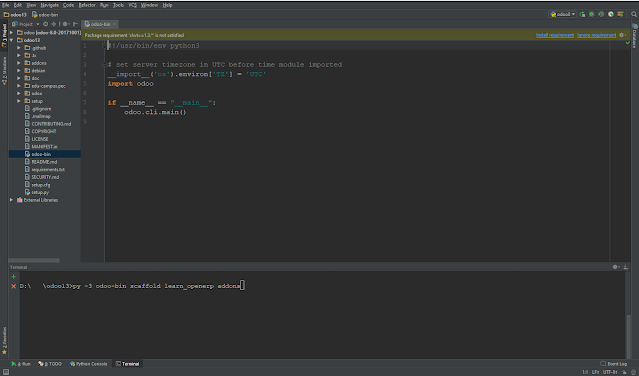
- Copy the below command and paste in Command Prompt or Terminal to creating a module named learn_openerp in the addons folder
odoo-bin scaffold learn_openerp addons
Error: 'odoo-bin' is not recognized as an internal or external command,
operable program or batch file.
If you are facing the above error, then use the below command
Read More: Configure and Install Odoo15 with PyCharm
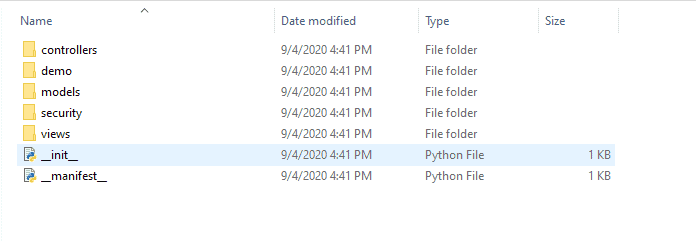
py -3 odoo-bin scaffold learn_openerp addons
http://localhost:8069/web/database/manager
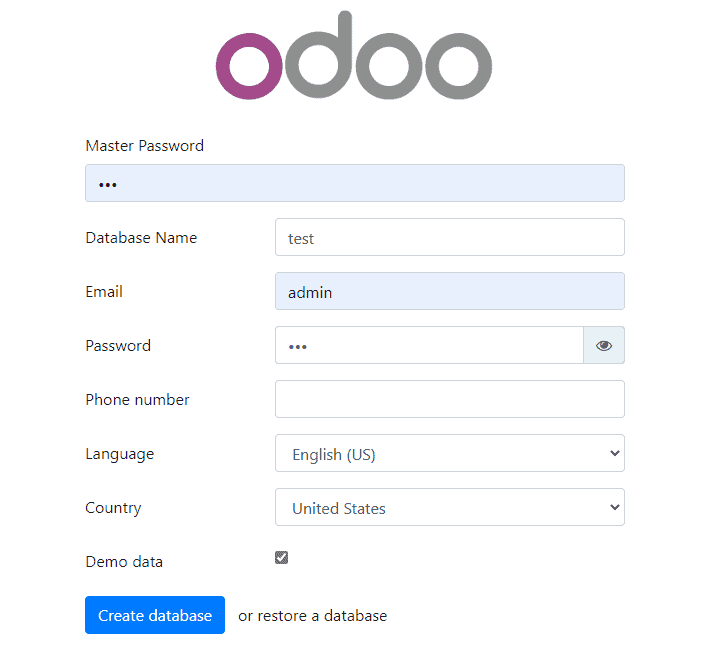
After creating database you will automatically render to following screen


4 Comments
when i try to create a custom module i get this error:
ReplyDeleteModuleNotFoundError: No module named 'PyPDF2'
i installed it and yet it keeps showing
Because you have no python package named "pypdf2" just open your terminal and run this command" pip install PyPDF2
Deletei get this error , Python was not found; run without arguments to install from the Microsoft Store, or disable this shortcut from Settings > Manage App Execution Aliases.
ReplyDeletepls help
can u please share the exact error
Delete